• 02.04.2026, 13:21
  • Register
  • Login
  • You are not logged in.


Dear visitor, welcome to Aqua Computer Forum. If this is your first visit here, please read the Help. It explains how this page works. You must be registered before you can use all the page's features. Please use the registration form, to register here or read more information about the registration process. If you are already registered, please login here.

reemo

Unregistered

Data Logging not working

Sunday, August 5th 2018, 9:24pm

Data logging settings won't save, after every reboot i have to set them again. Liquid temp, CPU and GPU temps.

This post has been edited 3 times, last edit by "reemo" (Aug 5th 2018, 10:43pm)

Jakusonfire

Full Member

Tuesday, August 7th 2018, 4:25am

There are two different types of data logging. The one you are using must be the Aquasuite data logging that only functions with Aquasuite running to collect the data. What you need to do is use the Aquaero data logging.

In the Aquaero tab of Aquasuite there is a sub tab that lets you set up logging. Those logs can be set to record all the time. Plus once they have been running when you open the Aquasuite logging tab you can import the logs to display.

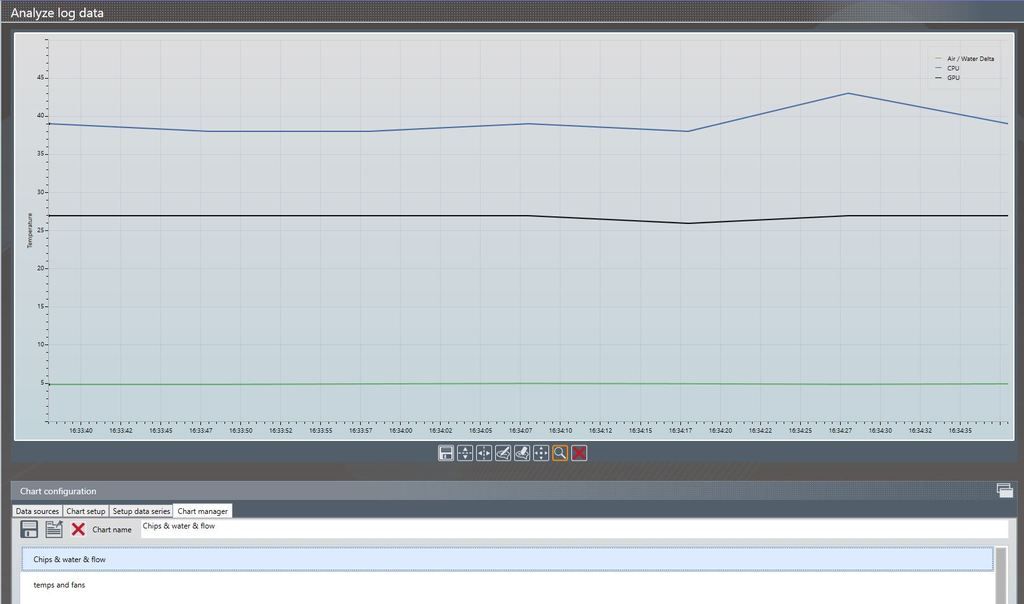
Aquasuite Data Logging

Here you can create your charts and save them but they will only show data from when Aquasuite was opened

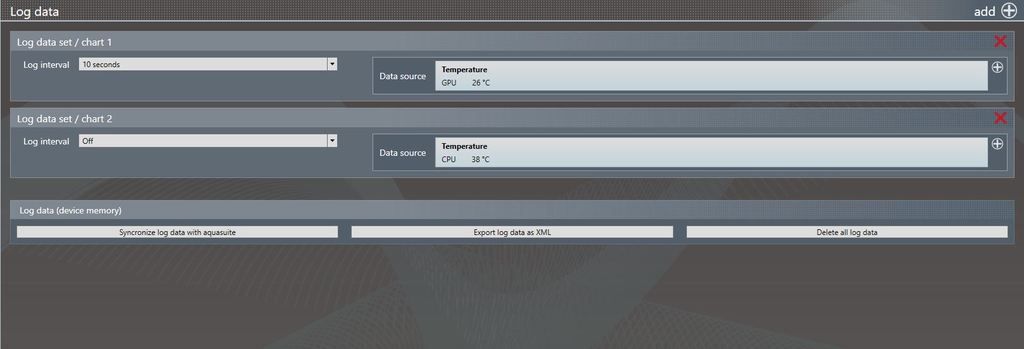
Aquaero Data Logging

Here you can set logging on the device itself that runs full time. Then with the 'Synchronise log data with Aquasuite' button you can import these data sets into the Aquasuite data log charts and show data from before Aquasuite was opened.

This post has been edited 2 times, last edit by "Jakusonfire" (Aug 17th 2018, 8:50am)

Similar threads